Building infrastructure by hand means clicking through a cloud console every time, and repeating those clicks if you ever need to build it again somewhere else. Infrastructure as Code replaces the clicking with a written blueprint, and Terraform reads that blueprint to build, or update, exactly what it describes. I picked this up working through exercises inspired by the tutorials at abcofcloudcomputing.com, using Terraform's random_pet provider as a safe, no-cost way to see it in action.
A few terms worth knowing going in. A resource is one component in the blueprint. The state file (terraform.tfstate) is Terraform's own record of what it has actually built. Variables are placeholders you can customize instead of hardcoding values, and a variables file (terraform.tfvars) is where you override those defaults with your own.
Writing a first resource
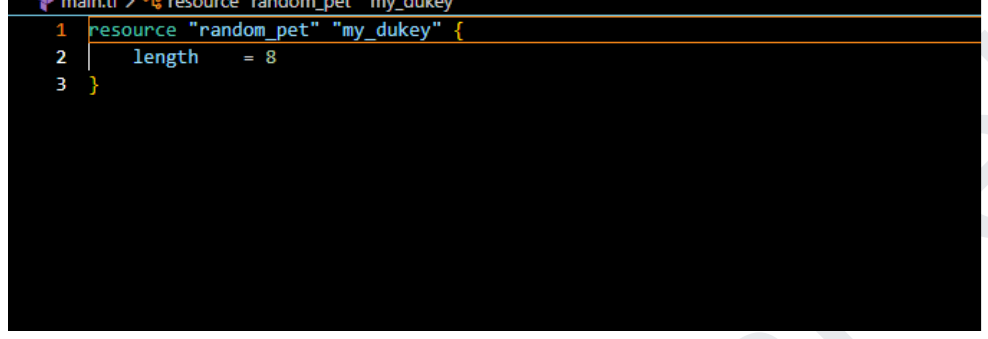
random_pet is a harmless provider that generates a random name: no cost, no real infrastructure, just a safe way to see Terraform work. In main.tf, resource "random_pet" "my_dukey" declares the resource type and gives it a local name, and length = 8 sets a rule: the generated name should be 8 words long.
Reading the state file
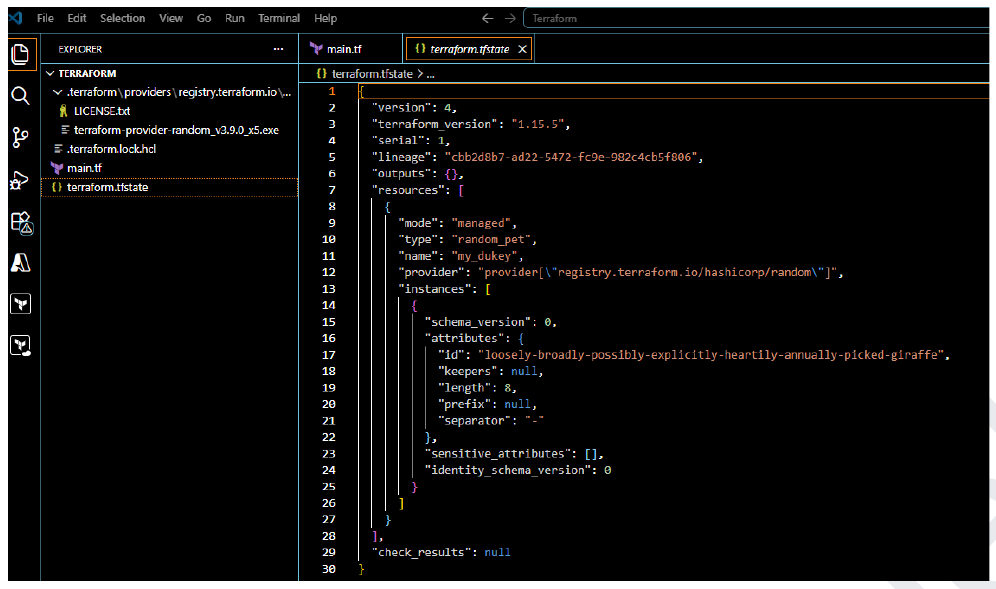
Running terraform apply builds what the configuration describes and records it in terraform.tfstate: think of it as Terraform's own ledger of what it created. Opening it up shows the generated id, an 8-word hyphenated string like loosely-broadly-possibly-explicitly-heartily-annually-picked-giraffe, along with the length rule that produced it.
Changing the configuration
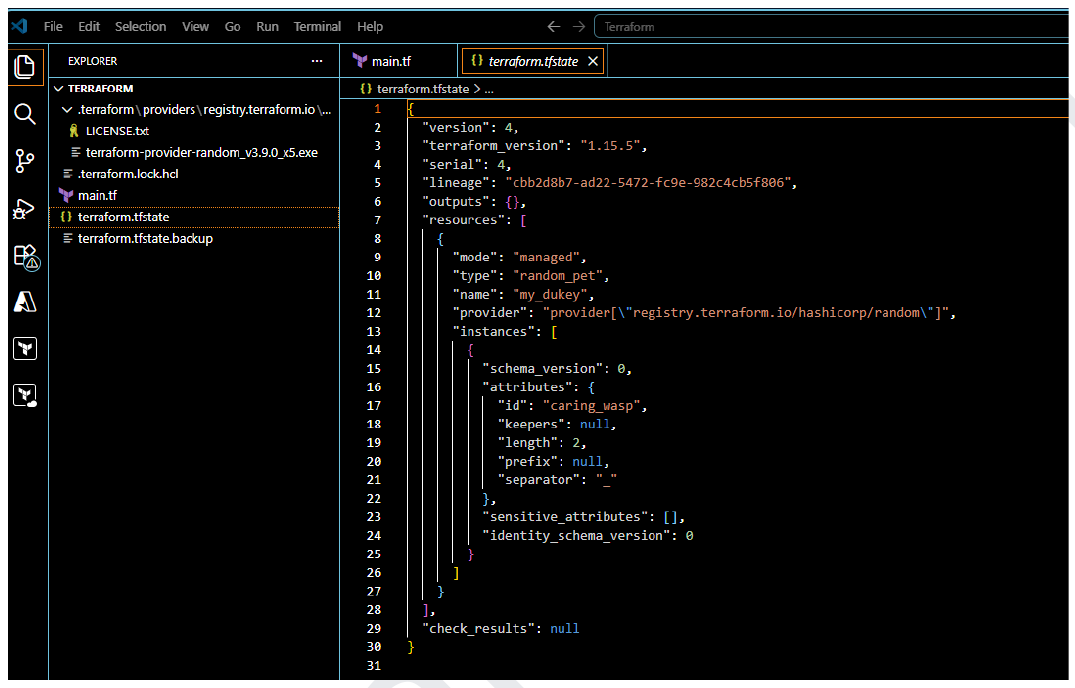
Editing main.tf (changing length to 2 and adding separator = "_") and running terraform apply again doesn't start over. Terraform compares the new configuration against the state file, sees what changed, and updates just that: the old 8-word name is replaced with a new 2-word one, separated by an underscore instead of a hyphen.
Destroying and starting fresh
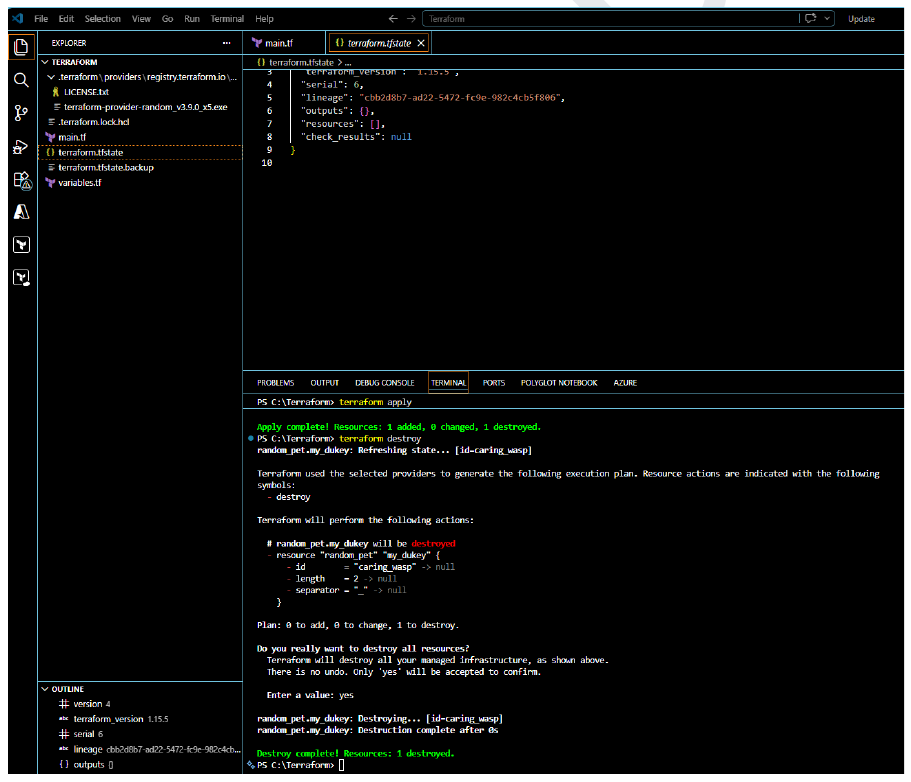
terraform destroy tears down everything the state file knows about. It shows a plan of what's about to be removed and asks for a typed yes before doing anything: there's no undo once it runs, so that confirmation step matters.
Introducing variables
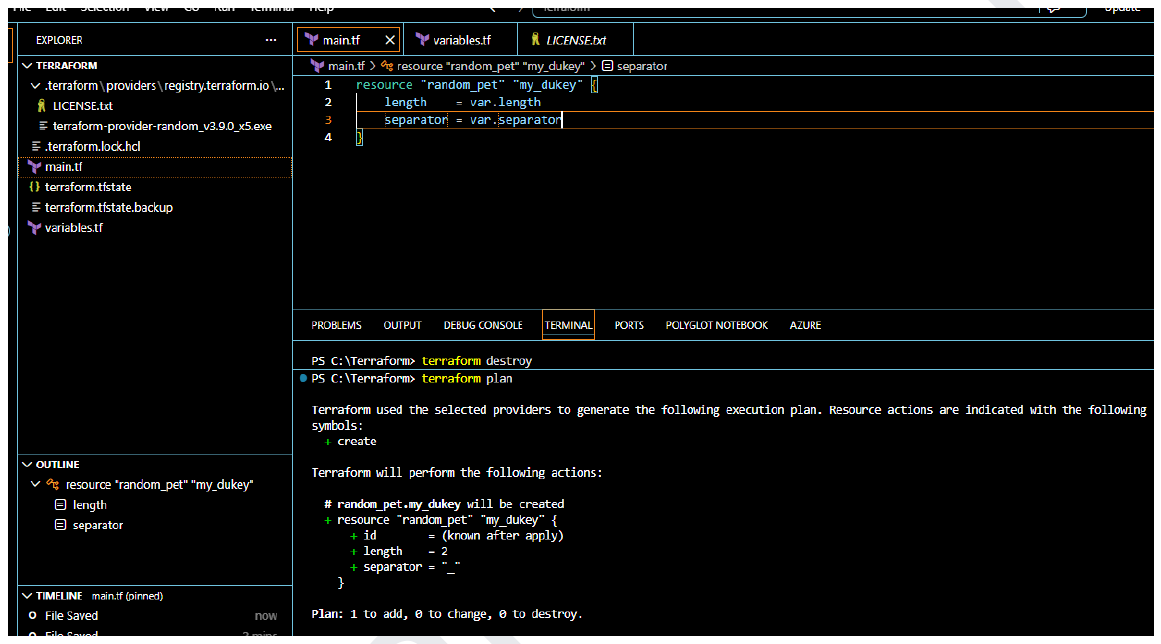
Hardcoding values into main.tf works, but it doesn't scale. Moving length and separator into variables (referenced as var.length and var.separator) turns the configuration into something reusable, with the actual values living in variables.tf or overridden elsewhere. Running terraform plan at this point previews the change without applying it: a green plus sign for what's about to be created.
Overriding with a .tfvars file
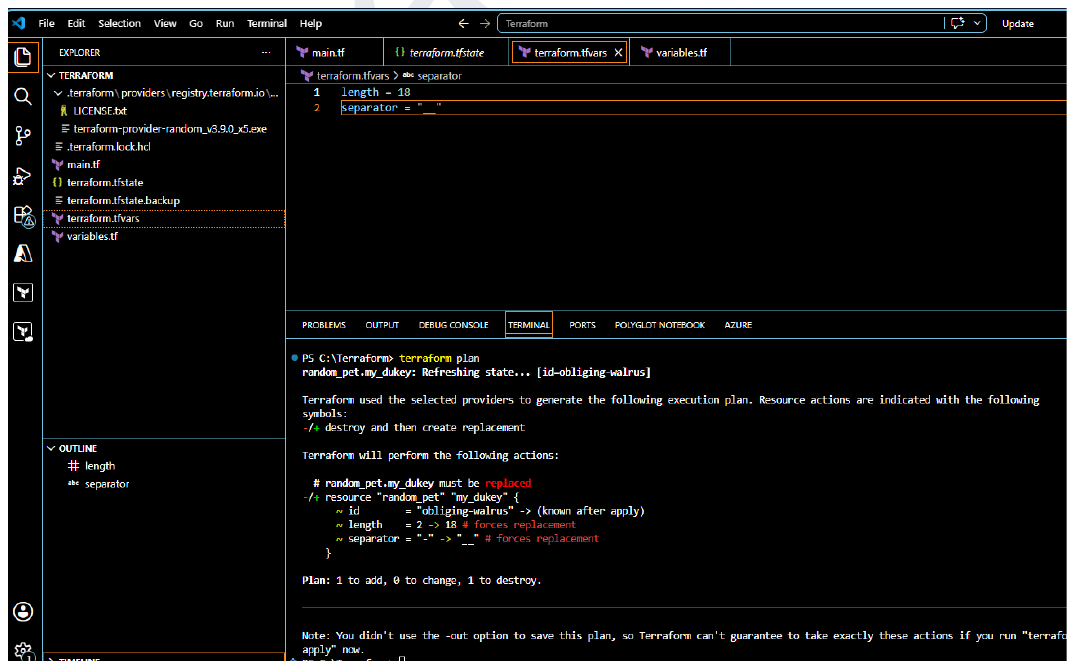
A terraform.tfvars file overrides the defaults with specific values: here, length = 18 and a double-underscore separator. Terraform's plan flags this with -/+: destroy and recreate. Because a generated pet name can't be edited in place, changing its length or separator means the old one has to be destroyed before the new one can exist.
That's the pattern underneath Terraform: describe what you want, let it compare that against what already exists, and trust it to work out the difference, whether that's a small update or a full replacement.
If you want the full walkthrough with every command, I put together the complete guide as a PDF.